Why the First 60 Seconds Matter So Much
Water itself doesn't destroy phones. Corrosion does. The moment water touches your phone's circuit board, a chemical reaction starts — water activates minerals that corrode the metal contacts and traces on the board. This process happens fast, especially with seawater, toilet water, coffee, or any liquid other than pure distilled water.
A phone brought to a technician within one hour has a dramatically higher recovery rate than one that sits for a day. Not slightly higher — dramatically higher. The goal of everything you do in the first few minutes is to stop or slow that corrosion process until a professional can clean it properly.
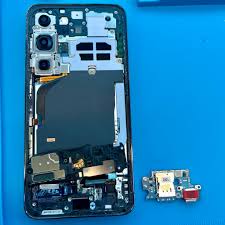
Stop. Don't Put It in Rice.
Rice is the most widespread piece of tech advice on the internet and it is genuinely harmful. Here's the reality:
- Rice cannot pull water from inside a sealed phone. Rice absorbs atmospheric moisture in the air around it. Your phone's internals are sealed behind housing, gaskets, and screens. Rice sitting outside the phone does nothing for the water inside it.
- Corrosion keeps spreading the whole time you wait. While your phone spends 48 hours in a bag of rice, corrosion is silently destroying the circuit board contacts. What might have been a $49 cleaning job becomes a $200+ board repair — or an unrecoverable phone.
- Rice starch and dust gets into your ports. This adds new problems on top of the water damage. We see phones come in from the "rice treatment" with lint-packed charging ports that weren't there before.
The origin of the rice myth is that rice is desiccant-like — it absorbs humidity from the surrounding air. That's true. But your phone needs the liquid water removed from its internals, not the ambient humidity reduced in a zip-lock bag. It doesn't work.
The Correct Steps — In Order
Step 1: Power Off Immediately
This is the single most important thing you can do. Water and electricity create short circuits that permanently fry components. If your phone is still on, power it off now — hold the power button, slide to power off, or force-restart to shut it down. Do not press random buttons trying to see if it still works.
Step 2: Don't Charge It
Do not plug your phone in under any circumstances. Water inside the charging port or on the board plus electrical current is a guaranteed way to cause permanent, unfixable damage. This applies to wireless charging too — the coil generates heat that can spread water further inside the device.
Step 3: Remove the Case and SIM Tray
Cases trap moisture against the phone's surfaces. Remove it immediately. Pop out the SIM tray — this opens a small path for moisture to escape and lets you see if water got into the SIM slot (a common entry point).
Step 4: Shake Out Excess Water
Hold the phone with the ports facing down and give it a gentle shake. Don't shake it violently (this can spread water to areas that weren't affected). The goal is to let gravity pull pooled water out of the speaker grills, charging port, and headphone jack.
Step 5: Dry the Outside
Use a clean cloth or paper towel to dry the exterior surfaces. Do NOT use a hair dryer — heat accelerates corrosion and can literally bake water onto the circuit board. Room-temperature drying only.
Step 6: Get to a Repair Shop Immediately
This is not optional. Even if your phone appears to work after drying, internal corrosion continues. Professional board cleaning with isopropyl alcohol and proper tools removes the corrosion before it causes permanent damage. The longer you wait, the worse the outcome. Fixtronics offers same-day water damage repair in Midtown Manhattan near Penn Station.
What About "Waterproof" Phones?
iPhones and Samsung Galaxy phones rated IP67 or IP68 are water resistant, not waterproof. The rating applies to specific conditions (depth, duration, fresh water) and degrades over time as the seals wear and compression gaskets compress after drops. If your "waterproof" phone was in salt water, toilet water, dropped before getting wet, or submerged past the rated depth, the IP rating may not have protected it.
We see water-damaged iPhones every week. "But it's IP68" is not a guarantee — it's a manufacturer's test condition. If your phone is showing any symptoms after water exposure (flickering, battery drain, speaker crackle, charging issues), bring it in.
What If My Phone Seems Fine?
This is actually one of the most dangerous outcomes. A phone that works after getting wet gives a false sense of security — but corrosion is still building up invisibly on the board. The most common pattern:
- Day 1: Phone seems completely fine
- Day 3–7: Battery starts draining faster than normal
- Day 10–14: Random shutdowns, camera stops working, charging becomes intermittent
- Day 30+: Phone dies and won't turn on
A professional cleaning right after the water incident — even when the phone seems fine — prevents all of this. It's a $49 insurance policy against a $500–$1,200 loss (the cost of a new phone).
Salt Water, Coffee, or Other Liquids: Even More Urgent
Fresh water is the least damaging liquid. Salt water, toilet water, coffee, juice, and other liquids contain minerals and acids that dramatically accelerate corrosion. If your phone was exposed to anything other than clean fresh water, treat it as an emergency and come in immediately — not tomorrow, not after work. Now.
Phone just got wet? Water damage repair from $49
Fixtronics is near Penn Station in Midtown Manhattan. Same-day water damage repair starting from $49. Every minute counts — walk in now, no appointment needed.